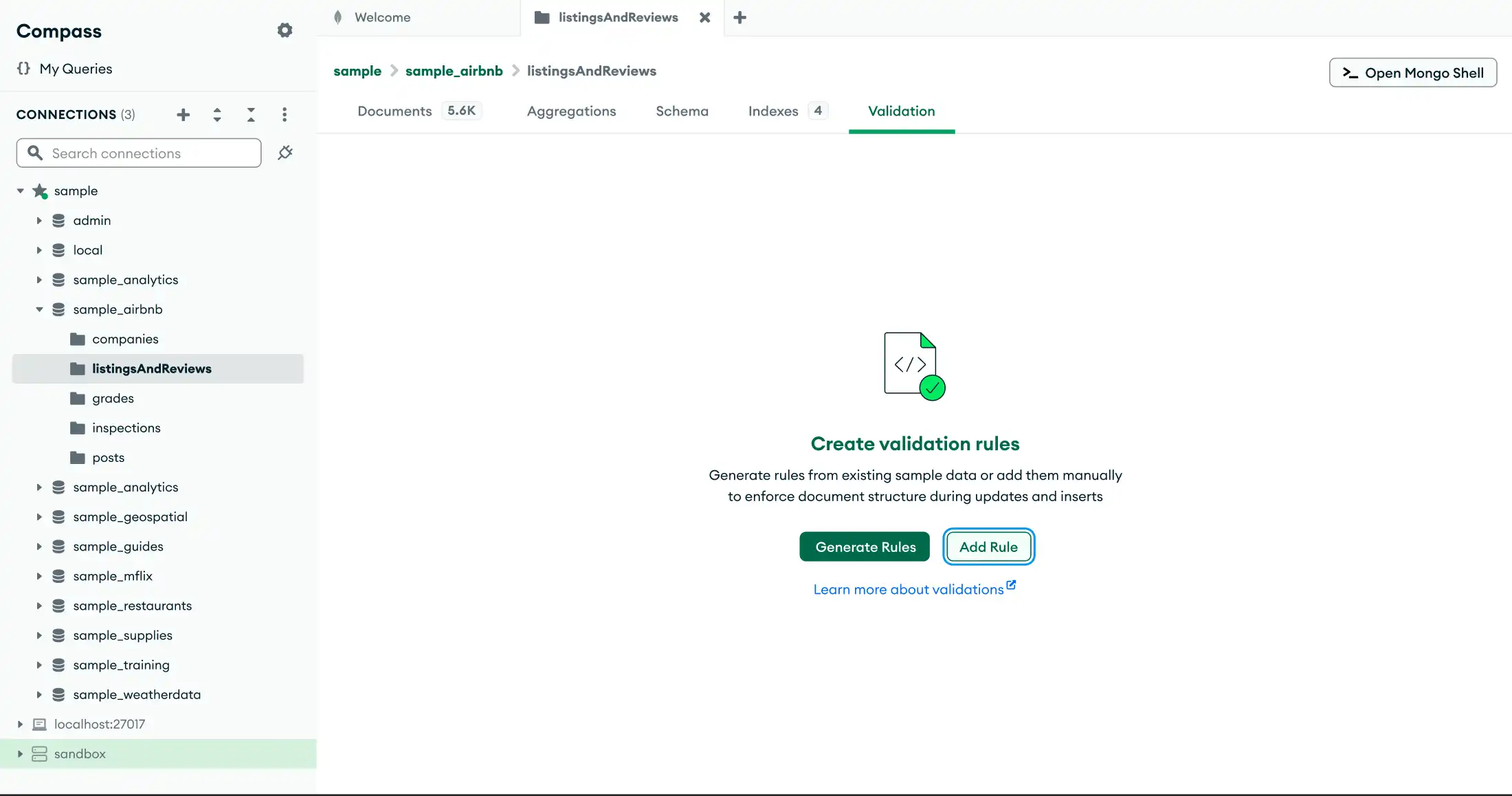
The Validation tab allows you to manage schema validation rules for a collection.“验证”选项卡允许您管理集合的模式验证规则。
Schema validation ensures that all documents in a collection follow a defined set of rules, such as conforming to a specific shape or only allowing a specified range of values in fields.模式验证确保集合中的所有文档都遵循一组定义的规则,例如符合特定的形状或仅允许字段中的指定值范围。
For details, see Set Validation Rules for Your Schema.有关详细信息,请参阅为模式设置验证规则。
Steps步骤
2
Enter your rules输入规则
To enter your rules, edit the start template that appears. For example, you can specify required fields and field types. For details, see JSON Schema Validation.要输入规则,请编辑显示的开始模板。例如,您可以指定必填字段和字段类型。有关详细信息,请参阅JSON模式验证。
3
Apply rules应用规则
To apply the validation rules, click Apply. To go back, click Cancel.要应用验证规则,请单击“应用”。要返回,请单击“取消”。