AI features in Compass are powered by Generative AI (Gen AI), and may give inaccurate responses. See our Generative AI FAQ for more information about Gen AI in MongoDB products.Compass中的AI功能由生成型AI(Gen AI)提供支持,可能会给出不准确的响应。有关MongoDB产品中Gen AI的更多信息,请参阅生成AI常见问题解答。
AI Features in CompassCompass中的AI功能
The intelligent assistant is an AI-powered tool designed for integrated, tailored MongoDB guidance in Compass.智能助手是一种基于人工智能的工具,专为Compass中集成的、量身定制的MongoDB指南而设计。
You can also query data with natural language in Compass. Compass uses AI to generate filter queries and aggregations based on the prompts you provide.您还可以在Compass中使用自然语言查询数据。Compass使用AI根据您提供的提示生成筛选查询和聚合。
Third Party Providers第三方供应商
AI features in Compass currently use the Azure OpenAI Service hosted by Microsoft. This is subject to change in the future.Compass中的AI功能目前使用微软托管的Azure OpenAI服务。这在未来可能会发生变化。
How Your Data is Used如何使用数据
When you use AI features in Compass, the following information may be sent to MongoDB's backend and/or the third party AI provider.当您在Compass中使用AI功能时,以下信息可能会发送到MongoDB的后端和/或第三方AI提供商。
For natural language querying:对于自然语言查询:
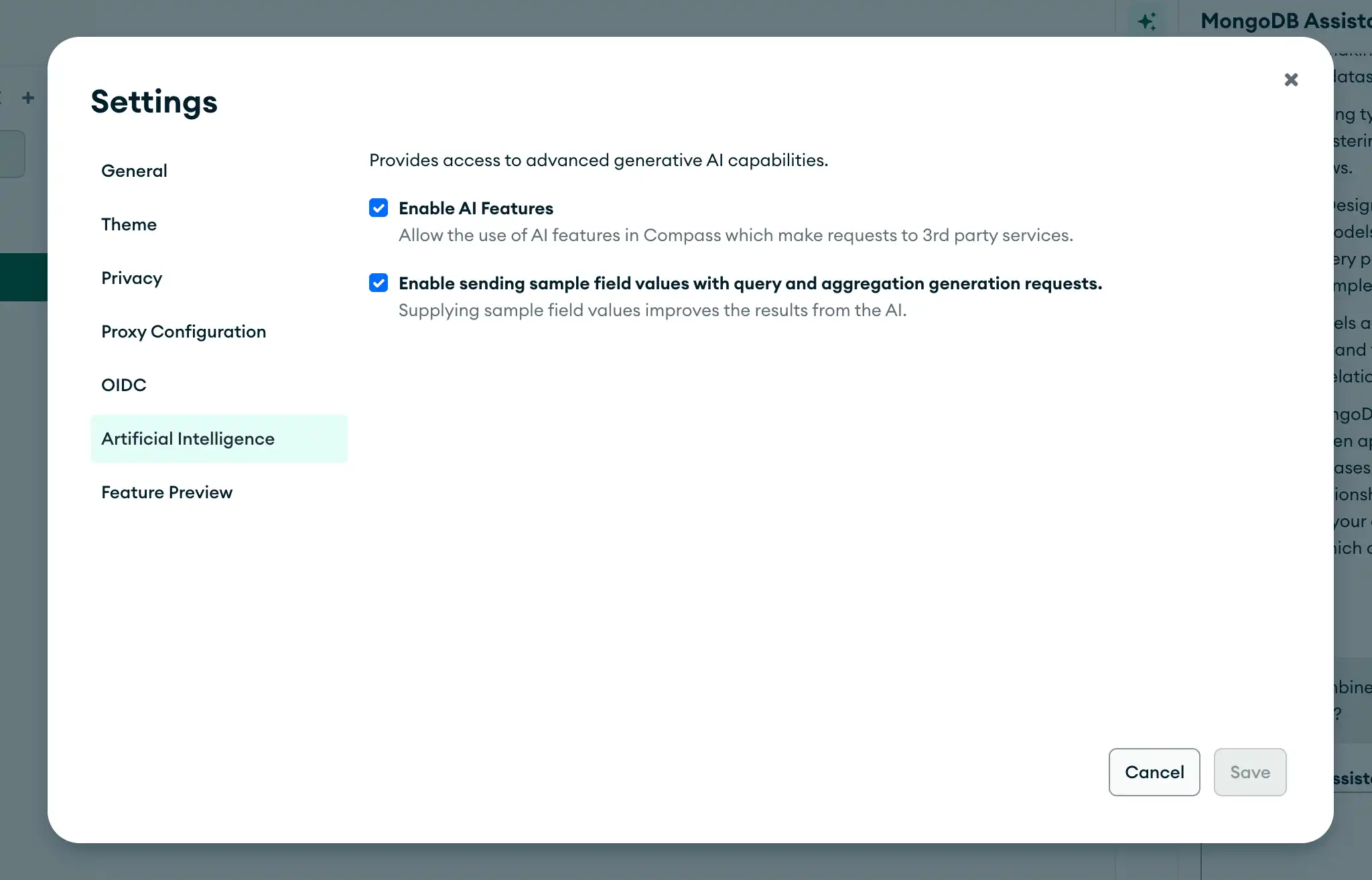
The full text of your natural language prompt.自然语言提示的全文。The schema of the collection you are querying, including database name, collection name, field names, and types.您正在查询的集合的架构,包括数据库名称、集合名称、字段名称和类型。Sample field values. These are only used if the示例字段值。这些仅在Compass设置中启用了“启用发送样本字段值”设置时使用。这是一个可选设置,用于提高推荐的质量。默认情况下,此设置处于禁用状态。Enable sending sample field valuessetting is enabled in Compass settings. This is an optional setting to improve the quality of recommendations. This setting is off by default.
For the intelligent assistant:对于智能助理:
Explain plan metadata. The "Interpret for me" button uses Explain plan metadata, including the original query, to process requests. The assistant prompts a user to confirm that they're okay with this before proceeding with the request each time.解释计划元数据。“为我解释”按钮使用解释计划元数据(包括原始查询)来处理请求。每次处理请求之前,助手都会提示用户确认他们对此没有异议。Sanitized connection information. The "Debug for me" button passes sanitized connection information and error messages to the assistant.山宁泰连接信息。“Debug for me”按钮将经过净化的连接信息和错误消息传递给助手。
The information that is sent will not be shared with any other third parties or stored by the AI provider. We do not send unsanitized connection strings, credentials, or rows/documents from your databases.发送的信息不会与任何其他第三方共享,也不会由人工智能提供商存储。我们不会从数据库发送未经消毒的连接字符串、凭据或行/文档。
Disable AI Features禁用AI功能
The following procedure explains how to disable all Generative AI features, including Natural Language Querying and the intelligent assistant.以下过程解释了如何禁用所有生成式AI功能,包括自然语言查询和智能助手。