Compass collects anonymous aggregated usage data to improve MongoDB products. Compass collects this information by default, but you can disable this data collection.Compass集合匿名聚合使用数据以改进MongoDB产品。Compass默认会集合此信息,但您可以禁用此数据集合。
About this Task关于此任务
Compass telemetry tracks the following data:Compass遥测跟踪以下数据:
The type of MongoDB deployment that you connect Compass to. For example, Enterprise Edition, Community Edition, or Atlas Data Lake.您连接Compass的MongoDB部署类型。例如,企业版、社区版或Atlas Data Lake。Hostnames of the deployments that you connect Compass to.Compass连接到的部署的主机名。Actions that you perform in Compass, such as creating collections and indexes. Telemetry only tracks the general action performed, and does not track field values or namespaces.在Compass中执行的操作,例如创建集合和索引。遥测仅跟踪执行的一般操作,不跟踪字段值或命名空间。Anonymized queries run in Compass. These queries are stored such that they cannot be associated to individual users.匿名查询在Compass中运行。这些查询被存储为不能与单个用户相关联。Errors.错误。
Compass does not track:Compass无法跟踪:
IP addresses, usernames, or credentialsIP地址、用户名或凭据Data stored in your MongoDB deployment存储在MongoDB部署中的数据Personal identifiable information个人身份信息
For more information, see MongoDB's Privacy Policy.有关更多信息,请参阅MongoDB的隐私政策。
Tip
Compass Isolated Edition automatically disables telemetry. For more information on different Compass editions, see Capabilities of Compass Editions.Compass隔离版自动禁用遥测。有关不同Compass版本的更多信息,请参阅Compass版本功能。
Steps步骤
You can toggle telemetry in either:您可以在以下任一方式中切换遥测:
Settings Window设置窗口
To toggle telemetry from the Compass settings:要从Compass设置切换遥测:
To open the MongoDB Compass Settings Panel, click the gear icon on the left column of the Compass home screen.要打开MongoDB Compass设置面板,请单击Compass主屏幕左列上的齿轮图标。
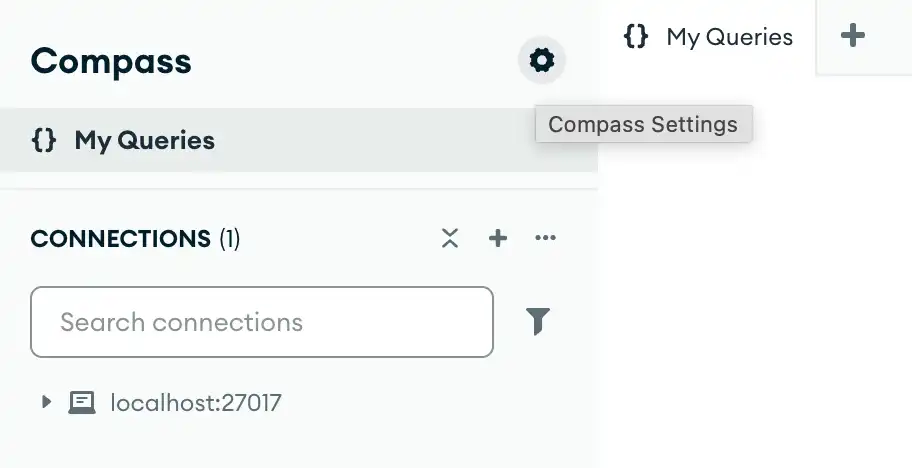
Alternatively, you can use keyboard shortcuts to open the Settings panel:或者,您可以使用键盘快捷键打开“设置”面板:
- Windows / Linux:
Ctrl+, - Mac:
⌘+,
Compass opens a dialog box where you can configure your MongoDB Compass settings.Compass打开一个对话框,您可以在其中配置MongoDB Compass设置。
Command Line命令行
To disable telemetry from the command line, start Compass with the 要从命令行禁用遥测,请使用--no-trackUsageStatistics option.--no-trackUsageStatistics选项启动Compass。
<path-to-Compass-executable> --no-trackUsageStatisticsNote
The name and filepath of the Compass executable depend on your operating system. For more information, see Compass Executable Location.Compass可执行文件的名称和文件路径取决于操作系统。有关更多信息,请参阅Compass可执行文件位置。
Configuration File配置文件
To disable telemetry from the Compass configuration file, set 要从Compass配置文件中禁用遥测,请将trackUsageStatistics to false.trackUsageStatistics设置为false。
EJSON
{ "trackUsageStatistics": false }YAML
trackUsageStatistics: false