Important
Inserting documents is not permitted in MongoDB Compass Readonly Edition.MongoDB Compass只读版不允许插入文档。
Compass provides two ways to insert documents into your collections: JSON Mode and a Field-by-Field Editor.Compass提供了两种将文档插入集合的方法:JSON模式和逐字段编辑器。
- JSON
Mode模式 Allows you to write or paste JSON documents in the editor. Use this mode to insert multiple documents at once as an array.允许您在编辑器中编写或粘贴JSON文档。使用此模式可以将多个文档作为数组一次插入。Field-by-Field Editor逐字段编辑器Provides a more interactive experience to create documents, allowing you to select individual field values and types. This mode only supports inserting one document at a time.提供更具交互性的文档创建体验,允许您选择单个字段值和类型。此模式一次只支持插入一个文档。
Procedure过程
To insert documents into your collection:要将文档插入到集合中,请执行以下操作:
Click the Add Data dropdown and select Insert Document.单击“添加数据”下拉列表,然后选择“插入文档”。
Alternatively, you can right-click the query bar or its surrounding whitespace and select Insert document... from the drop-down menu.或者,您可以右键单击查询栏或其周围的空白,然后从下拉菜单中选择“插入文档…”。Select the appropriate view based on how you would like to insert documents.根据插入文档的方式选择适当的视图。Click the单击JSON视图的{ }brackets for JSON view. This is the default view.{ }括号。这是默认视图。Click the list icon for Field-by-Field mode.单击“逐字段”模式的列表图标。
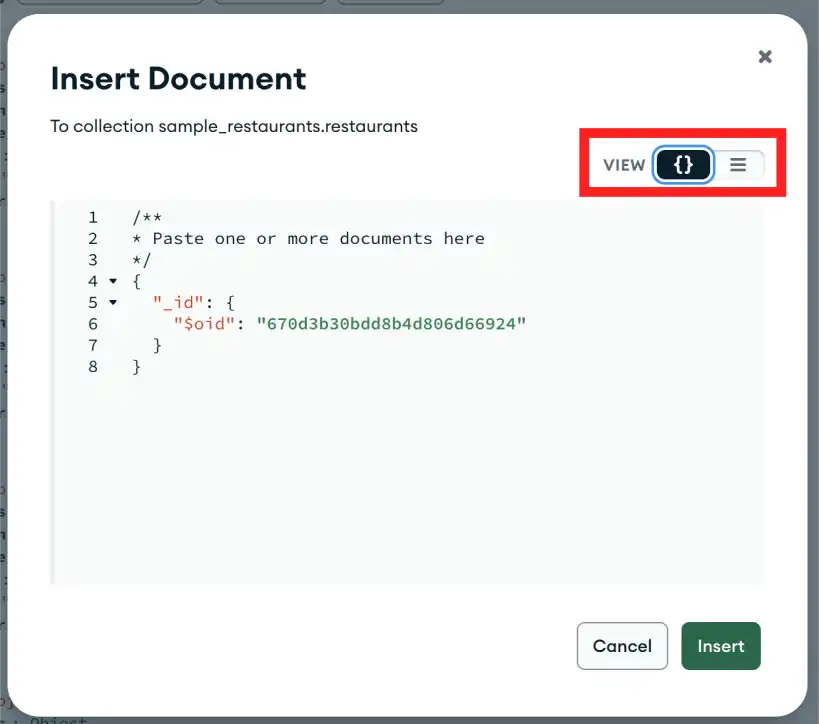
Json Mode模式
In JSON format, type or paste the document(s) you want to insert into the collection. To insert multiple documents, enter a comma-separated array of JSON documents.在JSON格式中,键入或粘贴要插入到集合中的文档。要插入多个文档,请输入一个逗号分隔的JSON文档数组。Example
The following array inserts 5 documents into the collection:以下数组将5个文档插入到集合中:[
{ "_id" : 8752, "title" : "Divine Comedy", "author" : "Dante", "copies" : 1 },
{ "_id" : 7000, "title" : "The Odyssey", "author" : "Homer", "copies" : 10 },
{ "_id" : 7020, "title" : "Iliad", "author" : "Homer", "copies" : 10 },
{ "_id" : 8645, "title" : "Eclogues", "author" : "Dante", "copies" : 2 },
{ "_id" : 8751, "title" : "The Banquet", "author" : "Dante", "copies" : 2 }
]Click Insert.单击“插入”。
Field-by-Field Editor逐字段编辑器
For each field in the document, select field type and fill in the field name and value.对于文档中的每个字段,选择字段类型并填写字段名称和值。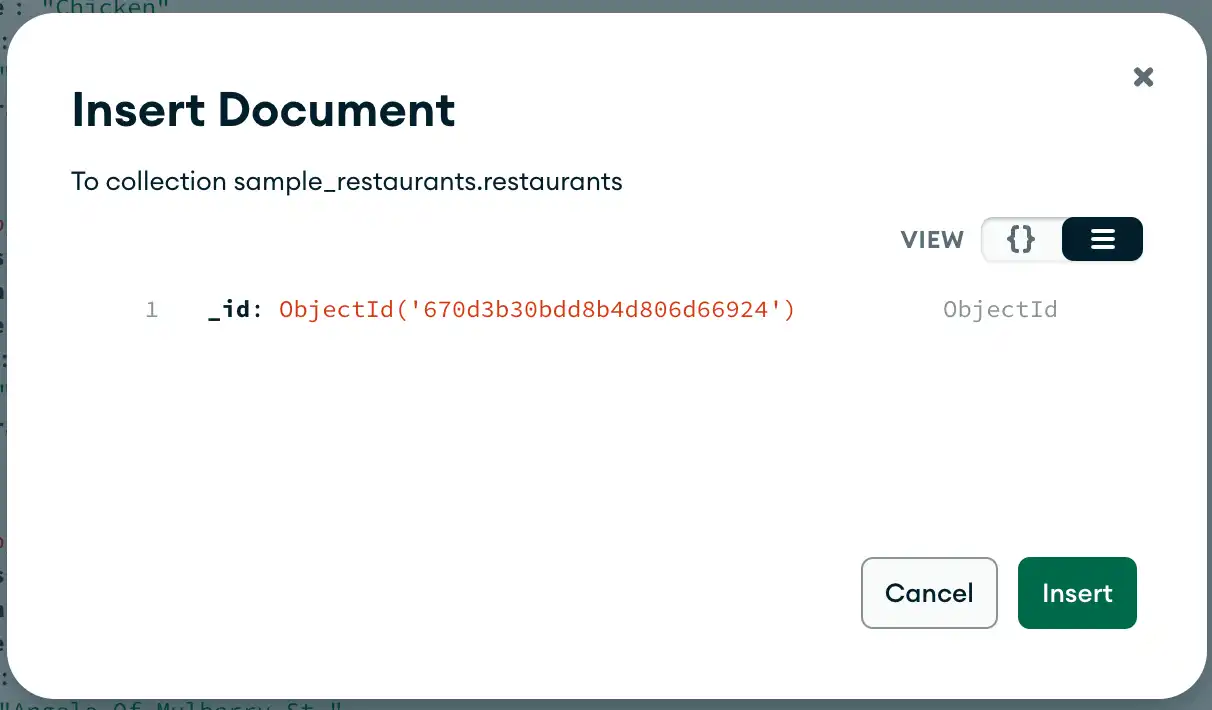
Add New Fields添加新字段
To add a new field in the document, hover over the row number in the dialog (the row number is not part of the document but the dialog display) and click the icon to add a new field after the selected row.要在文档中添加新字段,请将鼠标悬停在对话框中的行号上(行号不是文档的一部分,而是对话框显示的一部分),然后单击图标在所选行后添加新字段。
You can also add a new field at the end of the document by pressing the tab key when your text cursor is in the value of the last document field.当文本游标位于最后一个文档字段的值中时,您还可以通过按tab键在文档末尾添加新字段。
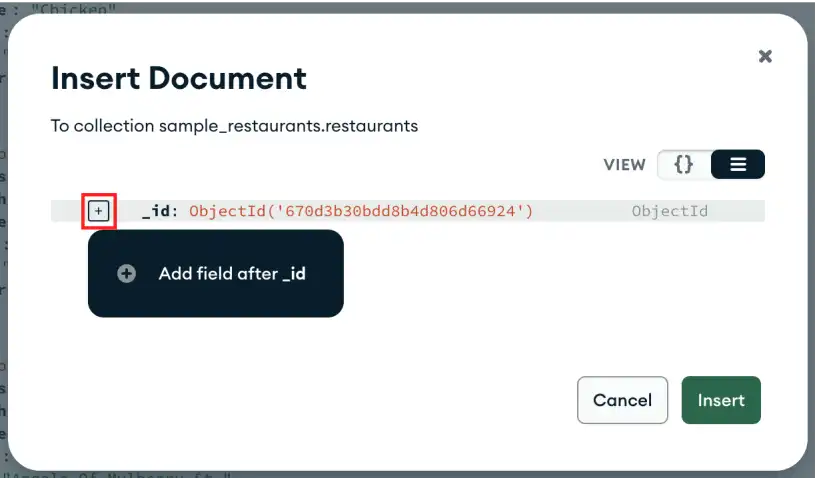
Change Field Type更改字段类型
You can change the data type of a field by using the data type selectors on the right of the field.您可以使用字段右侧的数据类型选择器更改字段的数据类型。
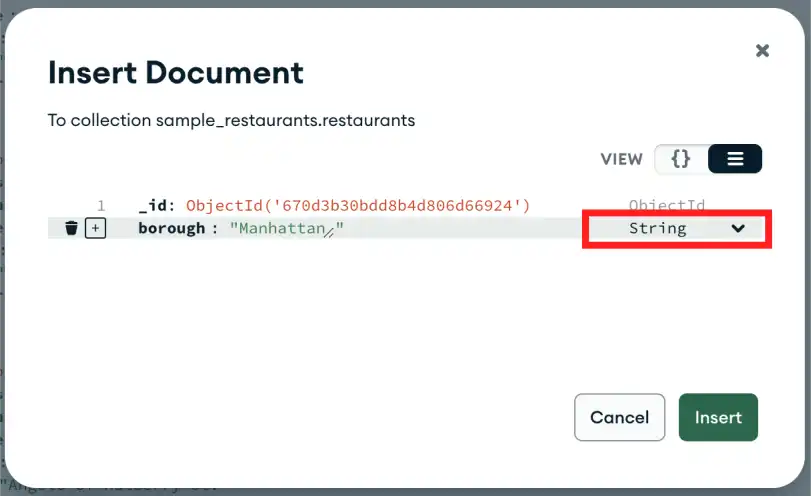
To change the 要将_id field to use a custom value, change the data type from ObjectID to string and then overwrite the _id value:_id字段更改为使用自定义值,请将数据类型从ObjectID更改为string,然后覆盖_id值:
Click Insert.单击“插入”。