The MAX TIME MS query bar option sets the cumulative time limit in milliseconds to process query bar operations. If the time limit is reached before the operation completes, Compass interrupts the operation.MAX TIME MS查询栏选项设置处理查询栏操作的累积时间限制(以毫秒为单位)。如果在操作完成之前达到时间限制,Compass将中断操作。
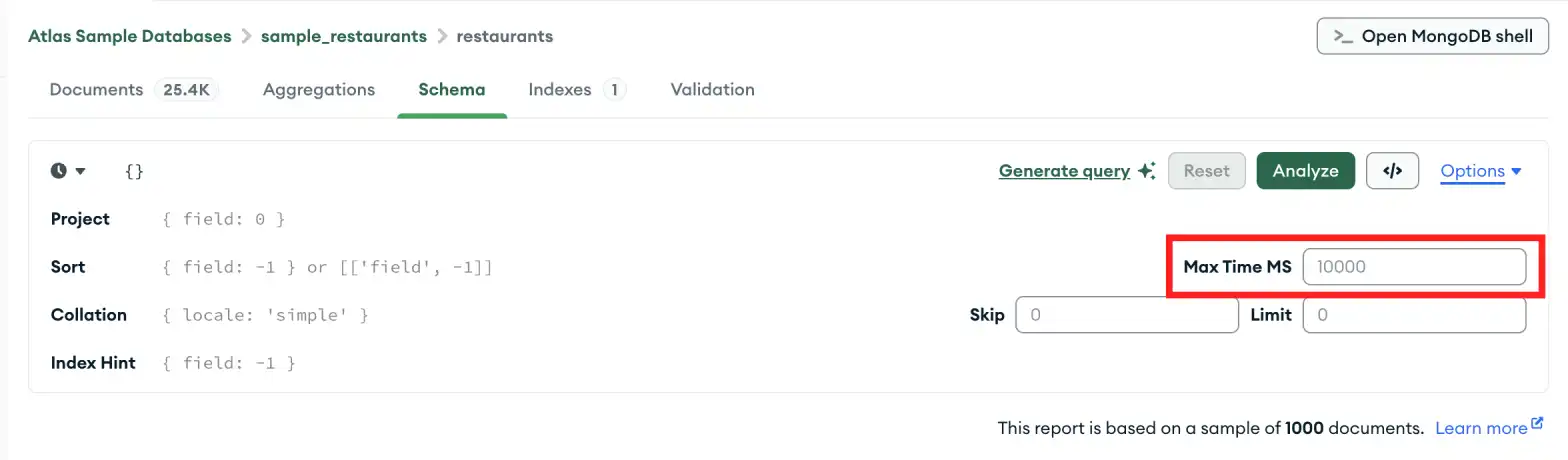
The default MAX TIME MS value is 60000, or 60 seconds. Consider raising this value if you meet one of the following conditions:默认的MAX TIME MS值为60000,即60秒。如果满足以下条件之一,请考虑提高此值:
You have a large collection.你有一个庞大的集合。Your operations frequently time out.操作经常超时。You query data archived from the Atlas cluster using Online Archive.您可以使用在线存档查询从Atlas集群存档的数据。
You can also consider creating indexes to improve query performance.您还可以考虑创建索引以提高查询性能。
Set MAX TIME MS设置最大时间MS
Click Options.单击“选项”。Adjust MAX TIME MS to the desired value in milliseconds.将“MAX TIME MS”调整到所需的毫秒值。
Learn More了解更多
To learn more about MAX TIME MS, see cursor.maxTimeMS() in the MongoDB manual.要了解有关MAX TIME MS的更多信息,请参阅MongoDB手册中的cursor.maxTimeMS()。