You can view up to 30 of the most recent queries for a collection in the recent queries menu. To open the recent queries menu, click the icon in the query bar. Click a query in the list to populate the query bar with that query.在最近查询菜单中,您最多可以查看一个集合的30个最近查询。要打开最近查询菜单,请单击查询栏中的图标。单击列表中的查询以用该查询填充查询栏。
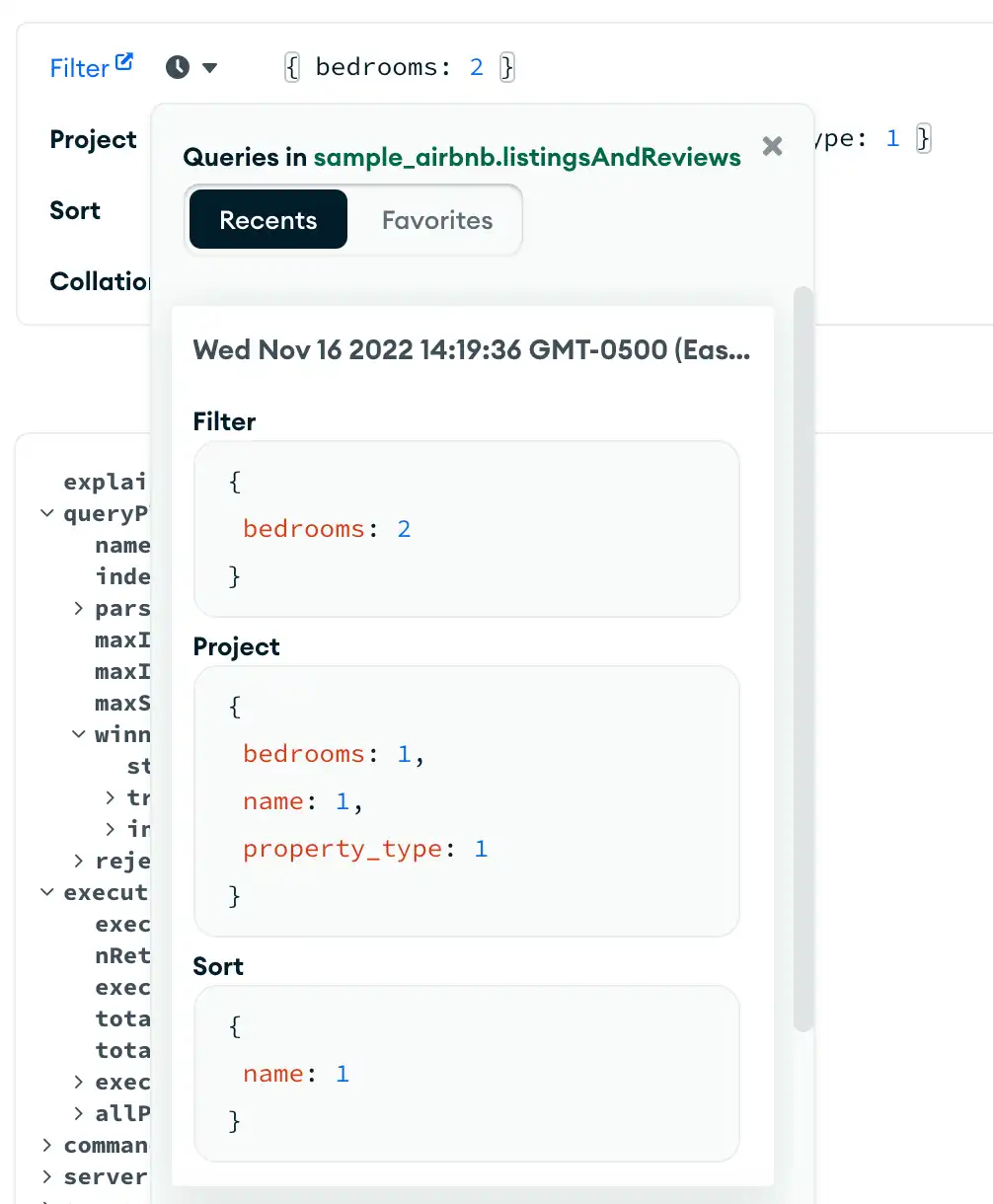
You can also hover over a query and perform the following actions:您还可以将鼠标悬停在查询上并执行以下操作:
| (星号) | |
| (复制) | |
| (垃圾桶) |
Query Autocomplete Menu查询自动完成菜单
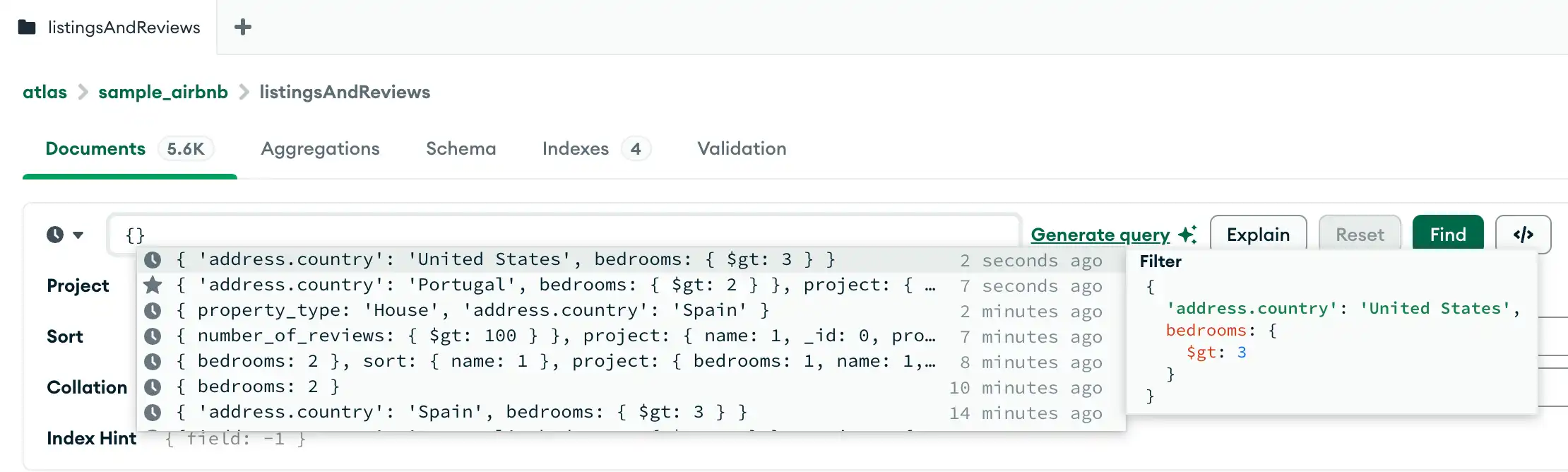
If the query bar is empty, you can click the filter bar to open the query autocomplete menu and view up to 50 recent or favorite queries. 如果查询栏为空,您可以单击筛选栏打开查询自动完成菜单,查看最多50个最近或最喜欢的查询。To scroll through your most recent queries, you can use the 要滚动浏览最近的查询,可以使用↑ and ↑ arrow keys. If a query is highlighted on the menu, it displays a pop-up panel that shows the filter, project, and sort stages of the query. To select a query from the autocomplete menu, press Enter, press Tab, or click the query.↑和↑箭头键。如果菜单上突出显示查询,则会显示一个弹出面板,显示查询的筛选、投影和排序阶段。要从自动补全菜单中选择查询,请按Enter键、Tab键或单击查询。
If you start typing into the filter bar, the autocomplete menu filters results to only display recent queries that include the specified string. If you start typing into the other option fields, such as Project or Sort, the autocomplete menu only displays recent queries that include those fields.如果开始在筛选栏中键入,自动完成菜单将筛选结果,仅显示包含指定字符串的最近查询。如果开始在其他选项字段(如“投影”或“排序”)中键入,则自动完成菜单仅显示包含这些字段的最近查询。
Tip
To learn how to write queries to filter your data, see Query Your Data.要了解如何编写查询来筛选数据,请参阅查询数据。