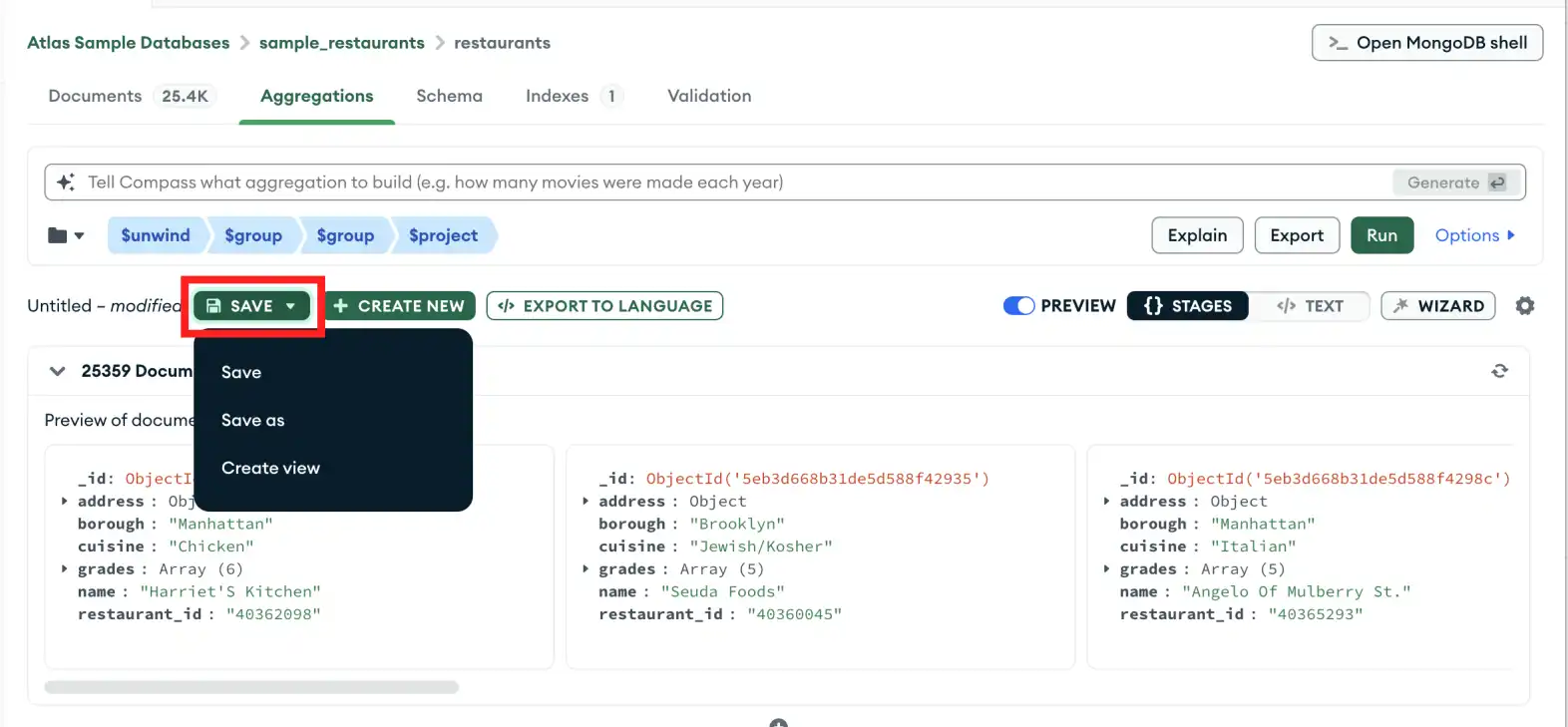
To quickly access the results of an aggregation pipeline without having to run it, you can create a view on MongoDB Compass. Views are read-only, so they can help keep your data secure by limiting user access to a predefined set of results.要快速访问聚合管道的结果而无需运行它,您可以在MongoDB Compass上创建一个视图。视图是只读的,因此它们可以通过限制用户对预定义结果集的访问来帮助保护数据安全。
About this Task关于此任务
Creating a view does not save the aggregation pipeline itself.创建视图不会保存聚合管道本身。
Steps步骤
1
Click the Save drop-down button单击“保存”下拉按钮
In the aggregation pipeline pane, click the Save drop-down button and select Create view.在聚合管道窗格中,单击“保存”下拉按钮,然后选择“创建视图”。
2
Enter a name for your view输入视图的名称
The view name must be between 6 and 1024 characters long.视图名称的长度必须在6到1024个字符之间。
3
Create your view创建视图
Click the Create button to create your view. Compass creates a view from your pipeline results in the same database where the pipeline was created and displays saved views with the icon.单击“创建”按钮创建视图。Compass从管道中创建视图。结果与创建管道的数据库相同,并使用图标显示保存的视图。