The General connection tab allows you to select a Connection String Scheme and configure the hostname or hosts used to connect to your MongoDB deployment.“常规”连接选项卡允许您选择连接字符串方案,并配置用于连接到MongoDB部署的主机名。
Note
Starting in version 1.44.0, you can connect to multiple MongoDB instances at once through Compass.从1.44.0版本开始,您可以通过Compass一次连接到多个MongoDB实例。
Procedure过程
Open the New Connection modal.打开“新建连接”模式。
In the bottom panel of the Connections Sidebar, click Add New Connection to open the New Connection modal.在“连接”侧栏的底部面板中,单击“添加新连接”以打开“新建连接”模式。
If you already have connections listed in the Connections Sidebar, click the icon on the top right of the sidebar to open the New Connection modal.如果您已经在“连接”侧边栏中列出了连接,请单击侧栏右上角的图标以打开“新连接”模式。
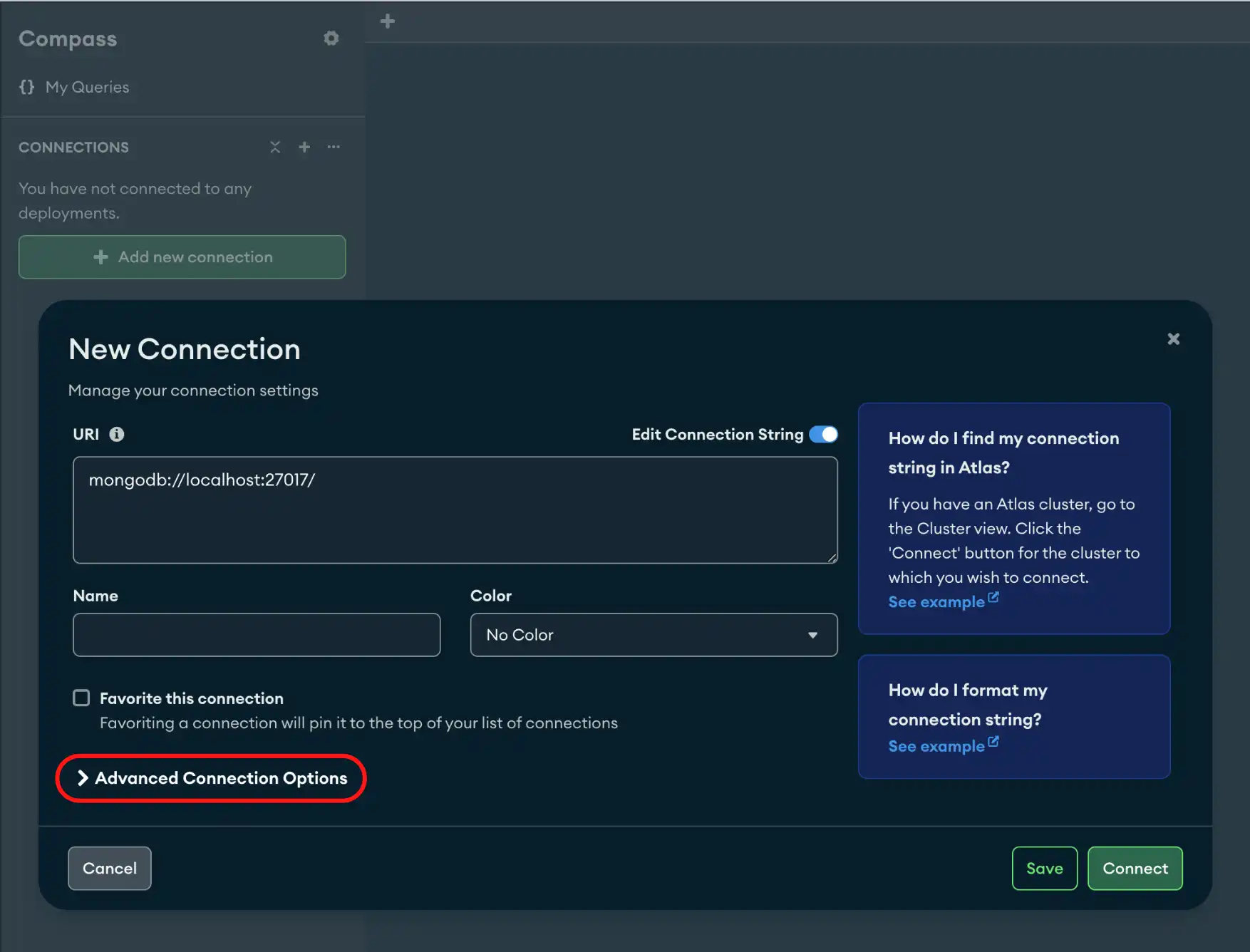
Click the General tab.单击“常规”选项卡。
Select a connection string scheme.选择连接字符串方案。You can select one of the following options:您可以选择以下选项之一:Connection String Scheme连接字符串方案Definition定义mongodb Standard Connection String Format. The standard format of the MongoDB connection URI is used to connect to a MongoDB deployment by specifying its hosts directly.标准连接字符串格式。MongoDB连接URI的标准格式用于通过直接指定其主机连接到MongoDB部署。Use this option to connect to standalone, replica set, or a sharded cluster使用此选项连接到独立、副本集或分片群集If you use the standard connection string format to connect to an Atlas deployment, you must turn on TLS/SSL in the TLS/SSL tab of the New Connection modal.如果使用标准连接字符串格式连接到Atlas部署,则必须在“新建连接”模式的TLS/SSL选项卡中启用TLS/SSL。mongodb+srv DNS Seed List Connection Format. TheDNS种子列表连接格式。+srv向MongoDB Compass表示,后面的主机名对应于DNS srv记录。+srvindicates to MongoDB Compass that the hostname that follows corresponds to a DNS SRV record.The
+srvautomatically enables TLS/SSL.Enter a Hostname.输入主机名。In the Host field, enter the hosts or hostname of the server where the deployment is running.在“主机”字段中,输入运行部署的服务器的主机或主机名。If you are running your deployment locally, this value is如果您在本地运行部署,则此值为localhost. If you are connecting to an Atlas cluster, see Connect to Database Deployment for Atlas-specific guidance on how to connect with Compass.localhost。如果您要连接到Atlas集群,请参阅连接到数据库部署,以获取有关如何连接Compass的Atlas特定指导。If you are not sure of your hostname, contact your Database Administrator for information.如果您不确定主机名,请联系数据库管理员以获取信息。(Optional) Enable Direct Connection.(可选)启用直接连接。When you use the当您使用mongodbConnection String Scheme, you have the option to enable a Direct Connection. When you enable this setting, Compass runs all operations on the specified host.mongodb连接字符串方案时,您可以选择启用直接连接。启用此设置后,Compass将在指定主机上运行所有操作。Important
When you specify当您指定directConnectionand connect to a secondary member of a replica set, your write operations fail because it is not the primary member.directConnection并连接到副本集的辅助成员时,写入操作会失败,因为它不是主要成员。
Tip
To disconnect from your deployment, see Disconnect from MongoDB.要断开与部署的连接,请参阅断开与MongoDB的连接。
Example示例
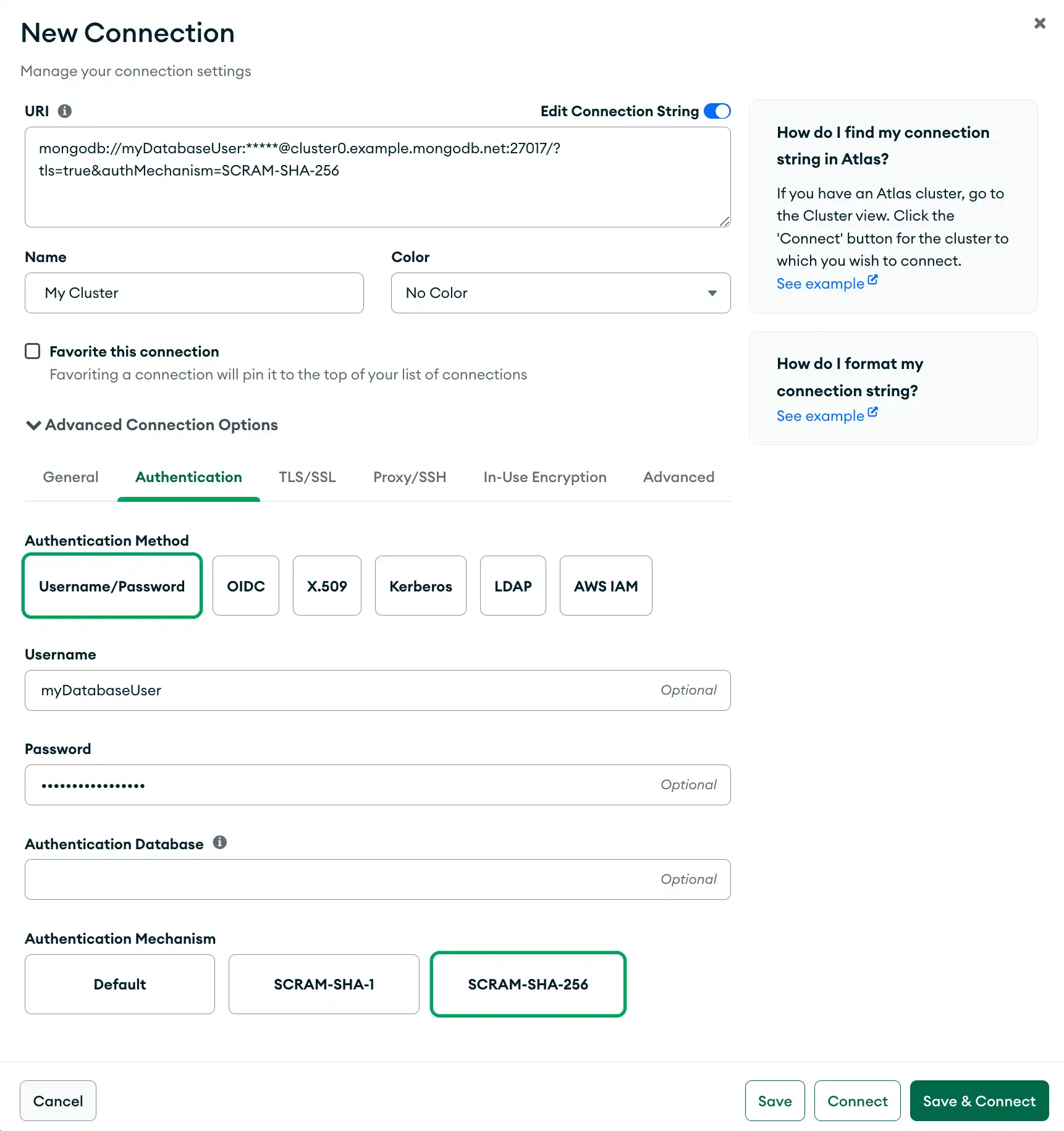
The following example specifies a connection with SCRAM-SHA-256 in the General tab. Since the connection uses the 以下示例在“常规”选项卡中指定了与SCRAM-SHA-256的连接。由于该连接使用mongodb connection string scheme to connect to an Atlas cluster, the connection also enables TLS/SSL.mongodb连接字符串方案连接到Atlas集群,因此该连接还启用了TLS/SSL。