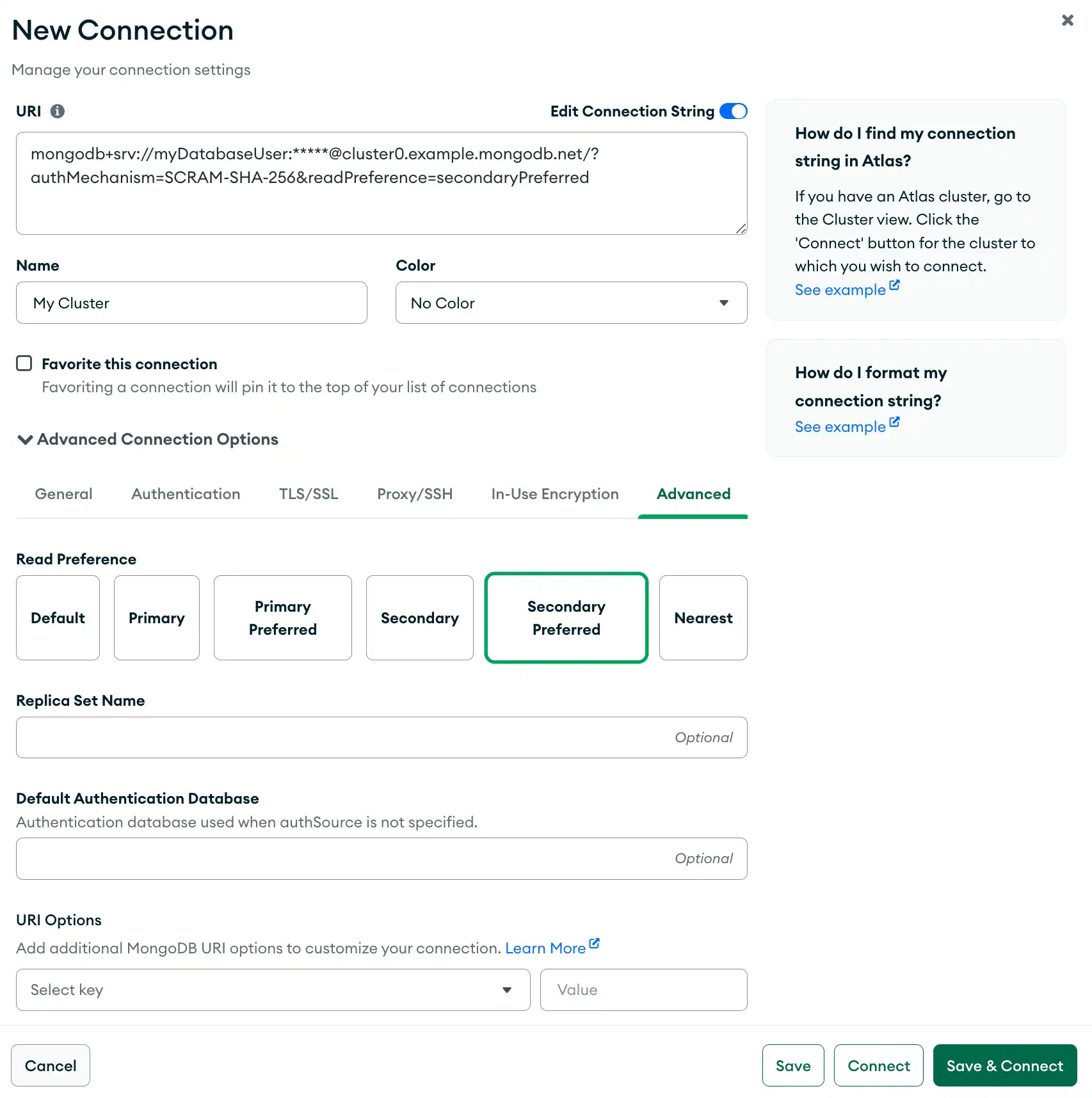
The Advanced connection tab provides additional connection options for your deployment. “高级”连接选项卡为部署提供了其他连接选项。These options can be used with the General, Authentication, TLS / SSL, and Proxy / SSH Tunnel connection options.这些选项可以与常规、身份验证、TLS/SSL和代理/SSH隧道连接选项一起使用。
Procedure过程
Open the New Connection modal.打开“新建连接”模式。
In the bottom panel of the Connections Sidebar, click Add New Connection to open the New Connection modal.在“连接”侧栏的底部面板中,单击“添加新连接”以打开“新建连接”模式。
If you already have connections listed in the Connections Sidebar, click the icon on the top right of the sidebar to open the New Connection modal.如果您已经在“连接”侧边栏中列出了连接,请单击侧栏右上角的图标以打开“新连接”模式。
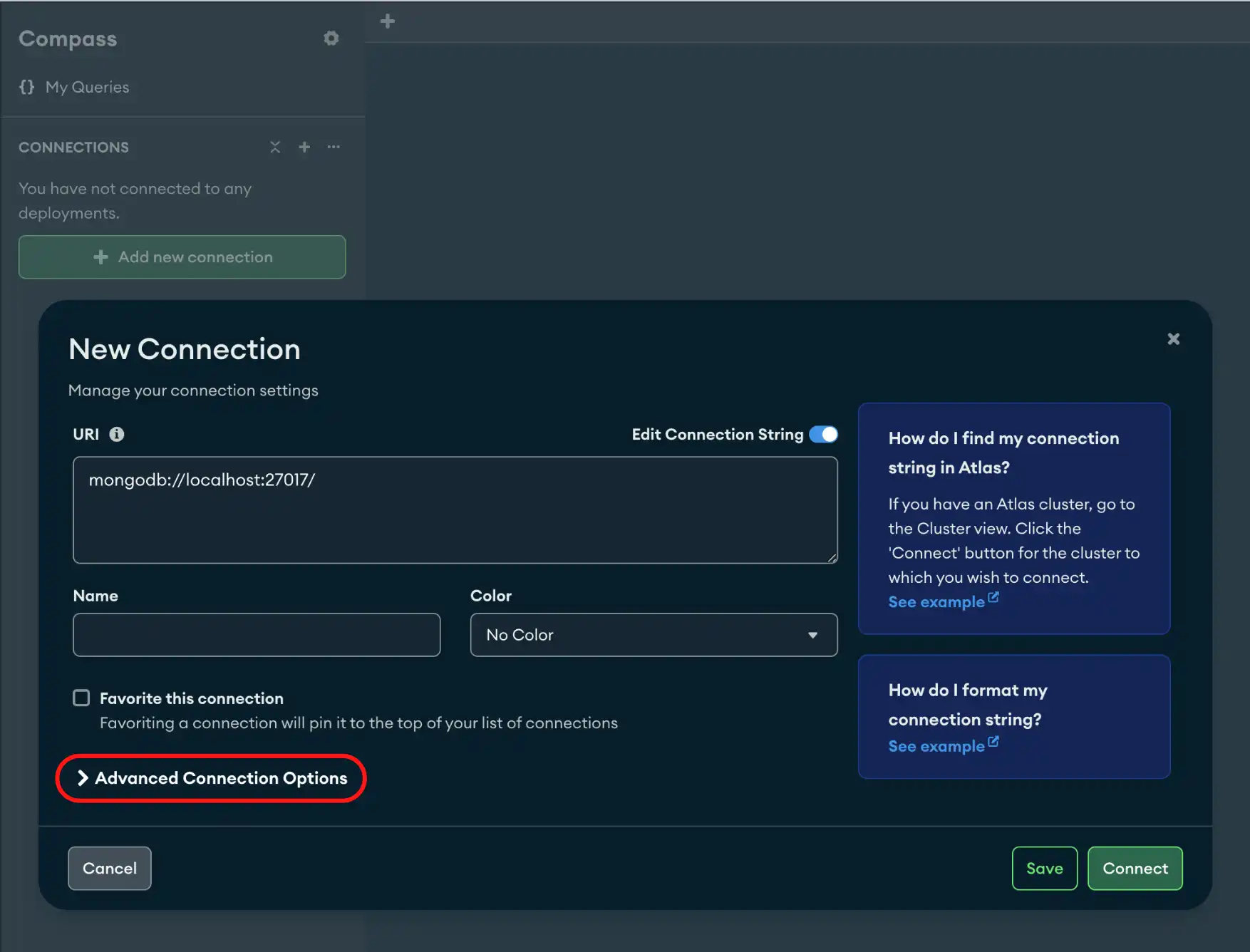
Click the Advanced tab.单击“高级”选项卡。
(Optional) Select a Read Preference from the following options:(可选)从以下选项中选择“读取首选项”:
| Primary | |
| Primary Preferred | |
| Secondary | |
| Secondary Preferred | |
| Nearest |
|
Additional Optional Fields其他可选字段
authSource时使用的身份验证数据库。有关详细信息,请参阅身份验证选项。 | |
Tip
To disconnect from your deployment, see Disconnect from MongoDB.要断开与部署的连接,请参阅断开与MongoDB的连接。
Example示例
The following example specifies a connection with a read preference of Secondary Preferred in the Advanced tab. The Secondary Preferred read preference prevents queries from overloading the primary node.以下示例在“高级”选项卡中指定了一个读取首选项为“次要首选”的连接。“次要首选”读取首选项可防止查询使主节点过载。