The TLS / SSL tab allows you to connect deployments with TLS / SSL. For more information on TLS / SSL, see TLS Options“TLS/SSL”选项卡允许您使用TLS/SSL连接部署。有关TLS/SSL的更多信息,请参阅TLS选项
Note
If you connect to an Atlas cluster with the standard connection string format, you must enable TLS/SSL.如果使用标准连接字符串格式连接到Atlas集群,则必须启用TLS/SSL。
Procedure过程
Open the New Connection modal.打开“新建连接”模式。
In the bottom panel of the Connections Sidebar, click Add New Connection to open the New Connection modal.在“连接”侧栏的底部面板中,单击“添加新连接”以打开“新建连接”模式。
If you already have connections listed in the Connections Sidebar, click the icon on the top right of the sidebar to open the New Connection modal.如果您已经在“连接”侧边栏中列出了连接,请单击侧边栏右上角的图标以打开“新连接”模式。
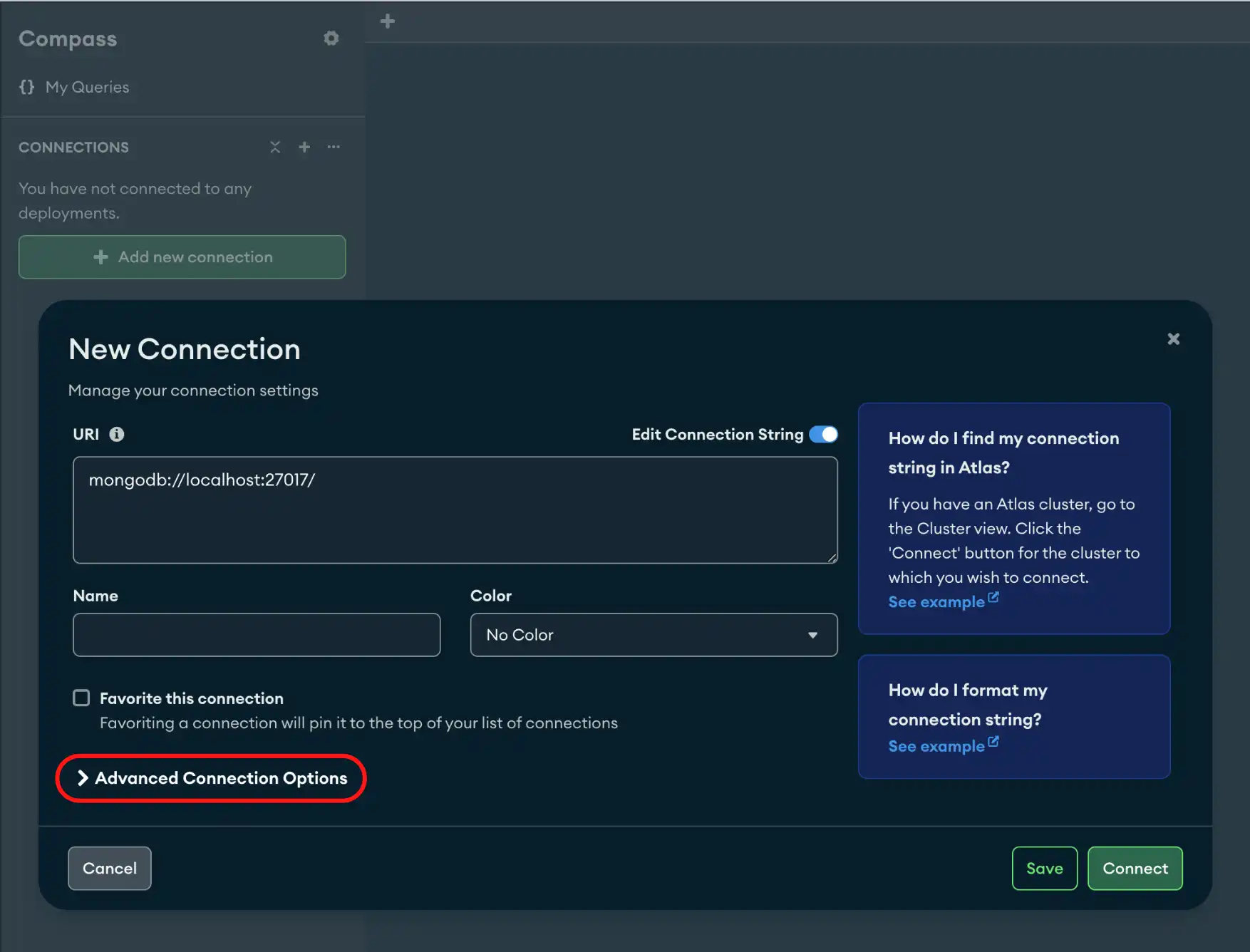
Click the TLS / SSL tab.单击“TLS/SSL”选项卡。
You can leave TLS unset with the 您可以使用Default option or set the TLS / SSL connection On or Off.Default选项不设置TLS,也可以将TLS/SSL连接设置为on(打开)或off(关闭)。
Default | Default option leaves the TLS option unset. The Default / unset TLS /SSL option is enabled when using a DNS seedlist (SRV) in the connection string. Default选项未设置TLS选项。在连接字符串中使用DNS种子列表(SRV)时,启用Default / unset(默认/未设置)TLS/SSL选项。 |
On | On option when using a DNS seedlist (SRV) in the connection string. When TLS / SSL Connection is On, you can specify additional certificate options for your connection string. On选项。当TLS/SSL连接是On时,您可以为连接字符串指定其他证书选项。 |
Off |
|
Additional TLS / SSL Options其他TLS/SSL选项
When TLS is 当TLS是On you can specify the following:On时,您可以指定以下内容:
Certificate Authority(证书颁发机构) | |
Client Certificate(客户端证书) | |
Client Key Password(客户端键密钥) | |
tlsInsecure | |
tlsAllowInvalidHostnames | |
tlsAllowInvalidCertificates |
Warning
Enabling 启用tlsInsecure, tlsAllowInvalidHostnames, and tlsAllowInvalidCertificates may cause a security vulnerabilty.tlsInsecure、tlsAllowInvalidHostnames和tlsAllowValidCertificates可能会导致安全漏洞。
Tip
To disconnect from your deployment, see Disconnect from MongoDB.要断开与部署的连接,请参阅断开与MongoDB的连接。
Example示例
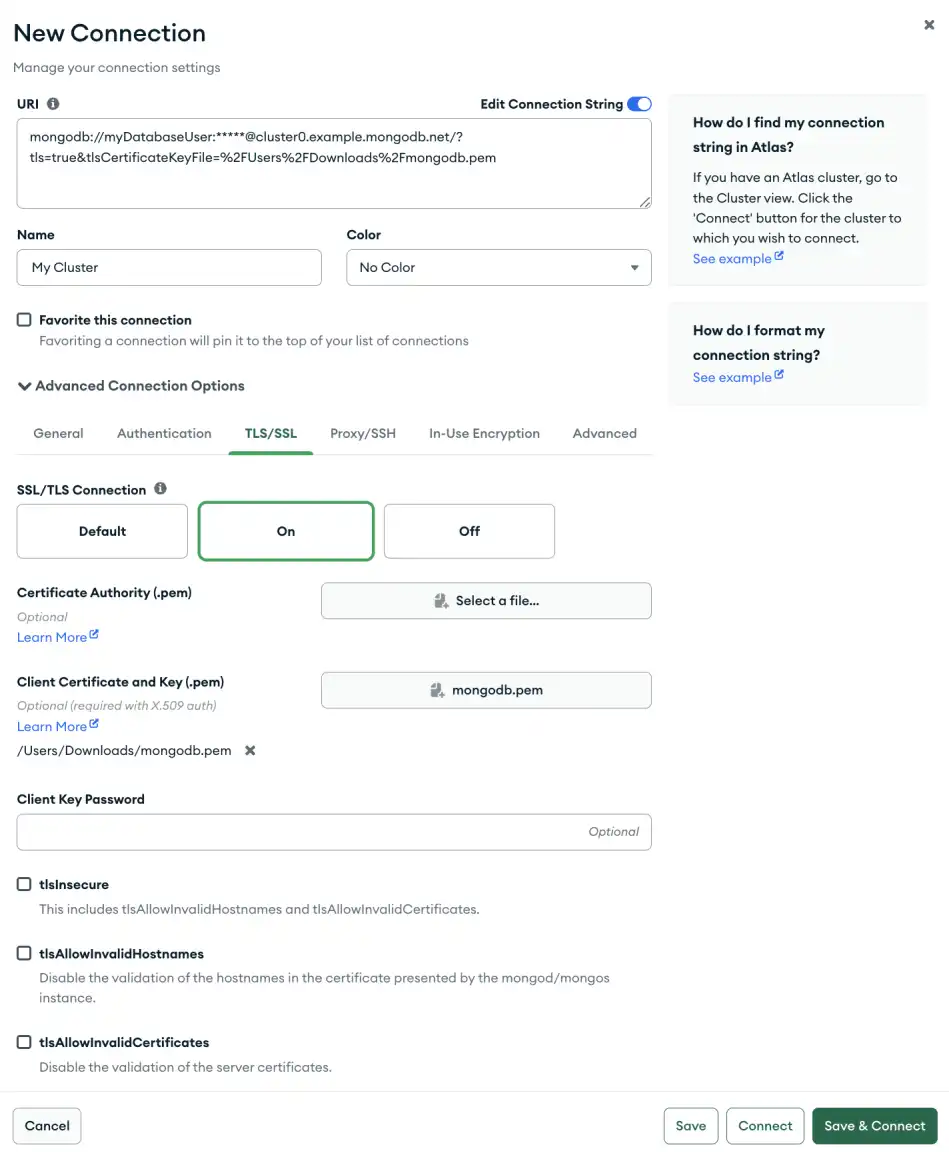
The following example specifies a connection with TLS/SSL enabled in the TLS / SSL tab. This connection uses X.509 authentication which requires a client certificate.以下示例指定了在“TLS/SSL”选项卡中启用TLS/SSL的连接。此连接使用需要客户端证书的X.509身份验证。
1