The /docs command provides MongoDB-specific information, supplemented by links to MongoDB Documentation. The MongoDB Extension for Github Copilot uses Retrieval-Augmented Generation (RAG) to generate responses based on the latest version of MongoDB Documentation./docs命令提供特定于MongoDB的信息,并辅以指向MongoDB文档的链接。Github Copilot的MongoDB扩展使用检索增强生成(RAG)根据最新版本的MongoDB文档生成响应。
Examples示例
The rest of this page illustrates example use cases for the 本页其余部分说明了/docs command:/docs命令的示例用例:
Instructional Questions教学问题
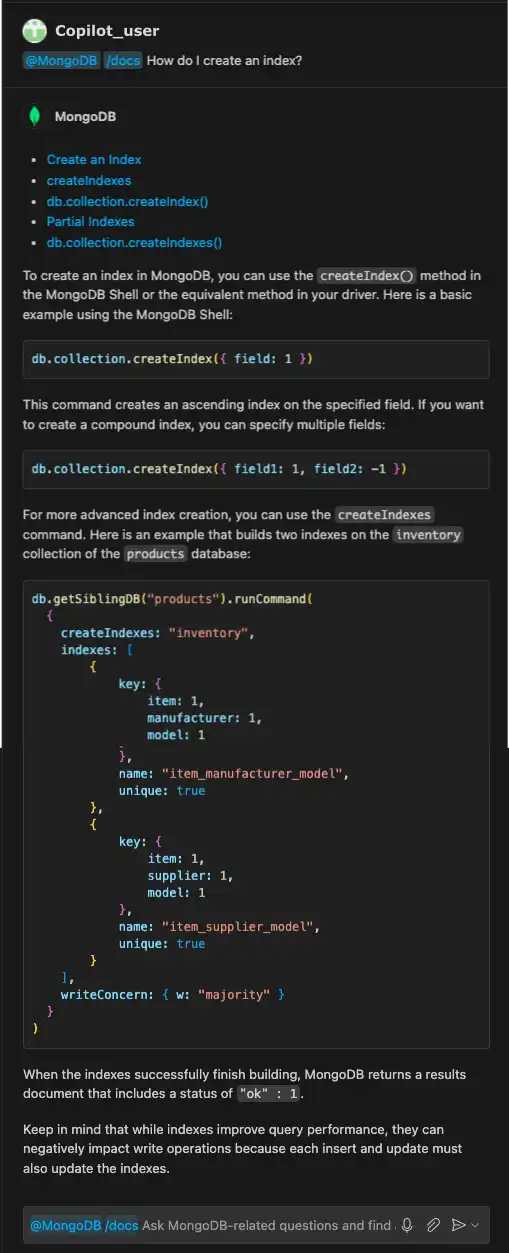
You can use the 您可以使用/docs command to ask how to perform specific operations. The following prompt asks for information on creating an index:/docs命令询问如何执行特定操作。以下提示询问有关创建索引的信息:
@MongoDB /docs How do I create an index?The MongoDB Extension for Github Copilot first provides the following MongoDB documentation:Github Copilot的MongoDB扩展首先提供了以下MongoDB文档:
Create an Index创建索引createIndexesdb.collection.createIndex()Partial Indexes部分索引db.collection.createIndexes()
The generated response also contains information about creating an index and code examples:生成的响应还包含有关创建索引和代码示例的信息:
Strategic Questions战略问题
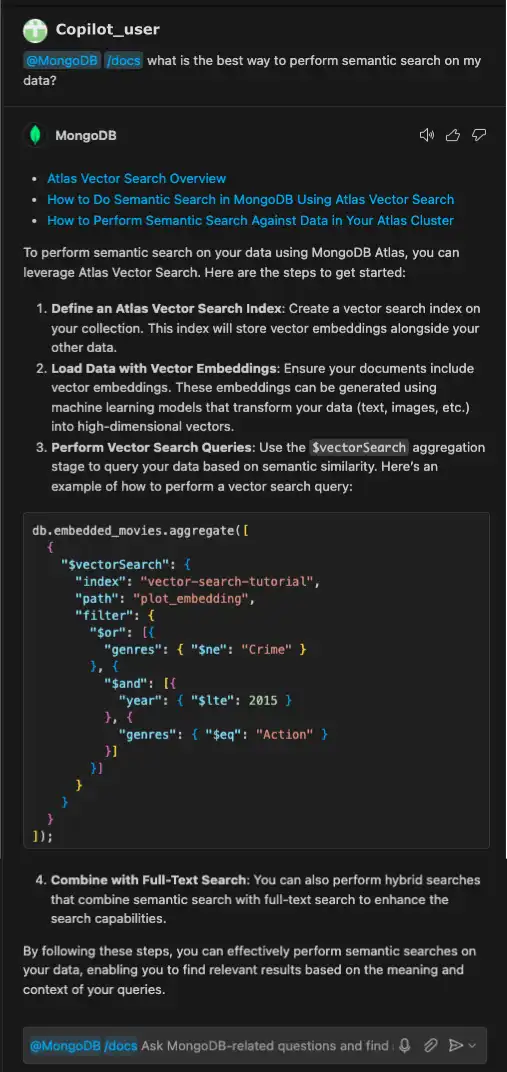
You can also use the 您还可以使用/docs command to ask for operation recommendations. The following prompt asks the MongoDB Extension for Github Copilot for a recommendation on the best way to perform semantic search:/docs命令询问操作建议。以下提示要求Github Copilot的MongoDB扩展提供执行语义搜索的最佳方式的建议:
@MongoDB /docs what is the best way to perform semantic search on my
data?
The generated response recommends using Atlas Vector Search and provides the following links to MongoDB documentation:生成的响应建议使用Atlas矢量搜索,并提供以下指向MongoDB文档的链接:
Atlas Vector Search OverviewAtlas矢量搜索概述How to Do Semantic Search in MongoDB Using Atlas Vector Search如何在MongoDB中使用Atlas矢量搜索进行语义搜索How to Perform Semantic Search Against Data in Your Atlas Cluster如何对Atlas集群中的数据执行语义搜索
The response also includes steps to get started with Atlas Vector Search, with a code example:该响应还包括开始使用Atlas矢量搜索的步骤,并附有代码示例: