The /schema command provides information about your collection schema by accessing your connected MongoDB deployment./schema命令通过访问连接的MongoDB部署来提供有关集合模式的信息。
Example示例
This example uses the 此示例使用Mflix示例数据库中的users collection in the Mflix Sample Database. Each document in the collection has the following structure:users集合。集合中的每个文档都具有以下结构:
{
   _id: {
      "$oid": "59b99db4cfa9a34dcd7885b6"
   },
   name: "Ned Stark",
   email: "sean_bean@gameofthron.es",
   password: "$2b$12$UREFwsRUoyF0CRqGNK0LzO0HM/jLhgUCNNIJ9RJAqMUQ74crlJ1Vu"
}
If you are connected to a MongoDB deployment that contains this collection, you can ask the MongoDB Extension for Github Copilot to show the schema of your collection:如果你连接到包含此集合的MongoDB部署,你可以要求Github Copilot的MongoDB扩展显示你的集合的模式:
@MongoDB /schema Can you show the schema for the sample_mflix.users
collection?
GitHub Copilot uses the MongoDB Extension for Github Copilot to generate the following response:GitHub Copilot使用GitHub Copilot的MongoDB扩展来生成以下响应:
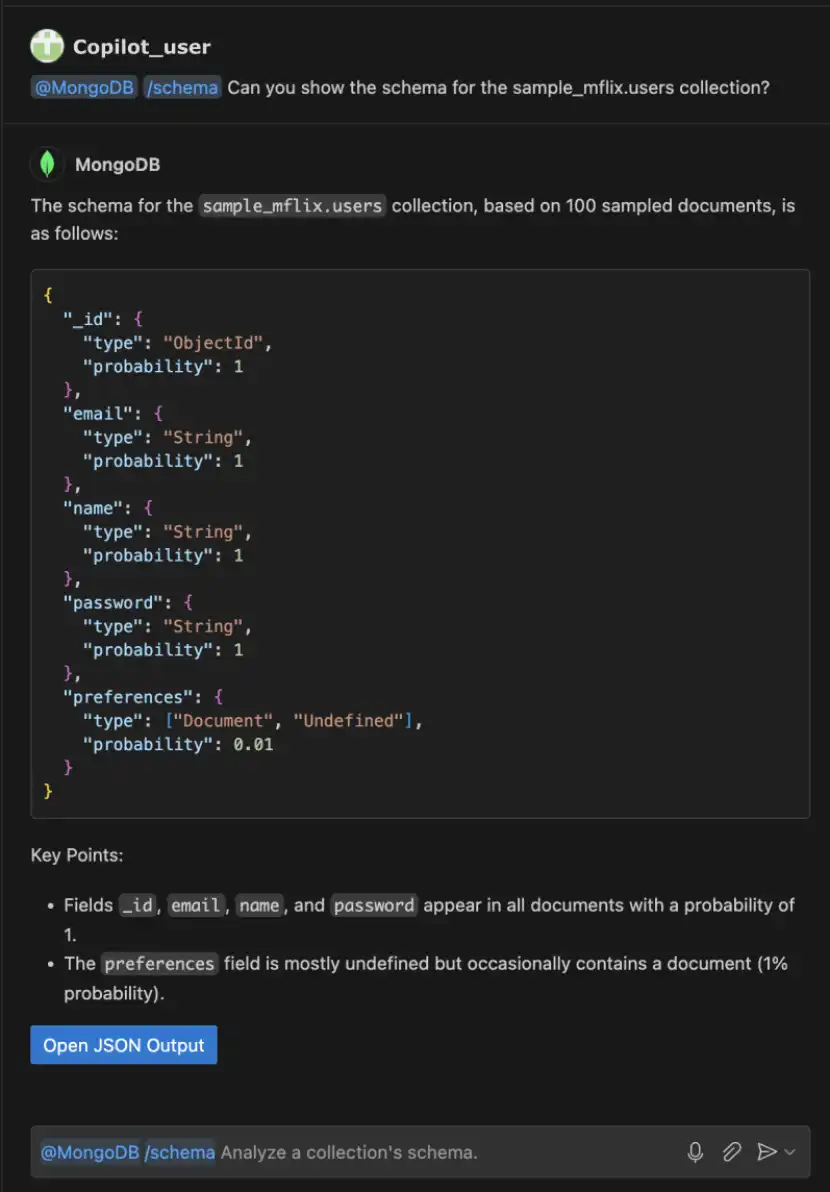
After Copilot generates the response, you can open the output in JSON format.Copilot生成响应后,您可以以JSON格式打开输出。