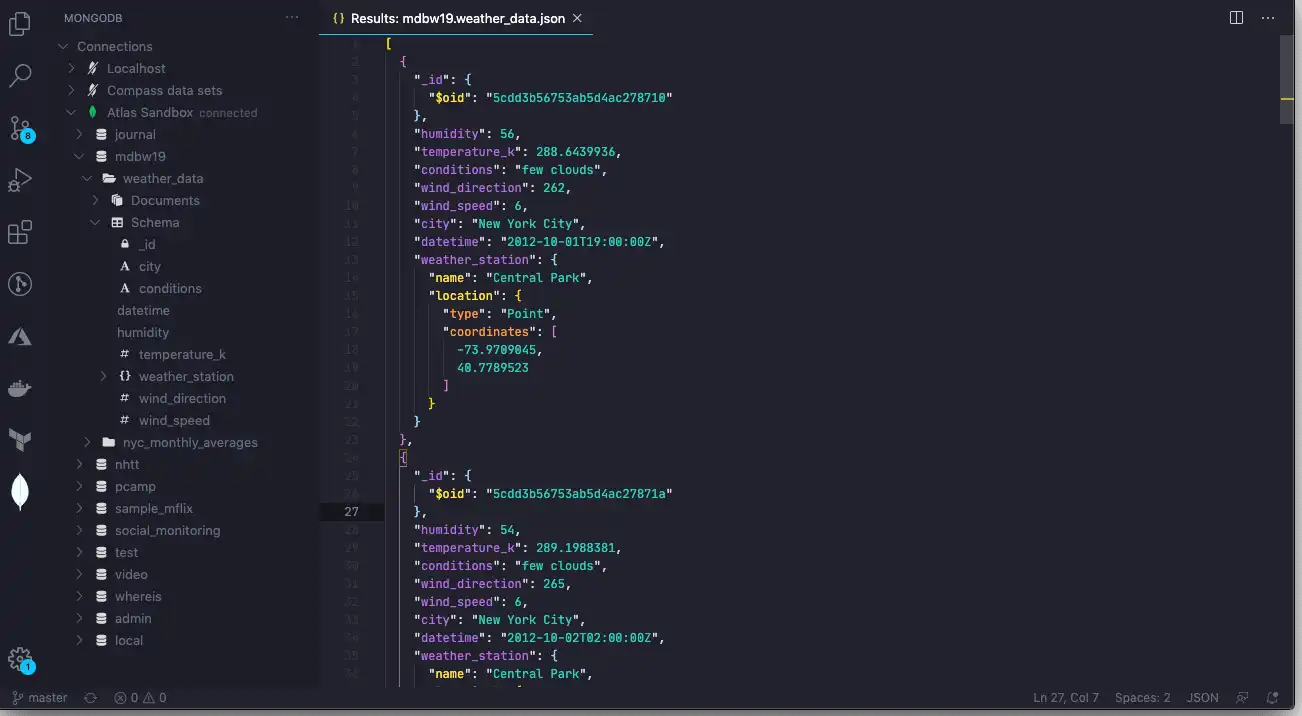
MongoDB provides an extension for Microsoft Visual Studio Code which lets you work with MongoDB and your data directly within your coding environment.MongoDB为Microsoft Visual Studio Code提供了一个扩展,允许您在编码环境中直接使用MongoDB和数据。
Features功能
You can use MongoDB for VS Code Extension to:您可以将MongoDB用于VS Code扩展:
Explore your MongoDB Data.探索MongoDB数据。Prototype queries and run MongoDB commands.原型查询并运行MongoDB命令。Interact with your MongoDB data using natural language.使用自然语言与MongoDB数据交互。Create a Shared Tier Atlas cluster using a Terraform template.使用Terraform模板创建共享层Atlas集群。
Get Started开始使用
Install MongoDB for VS Code Extension为VS Code扩展安装MongoDBInstall MongoDB for VS Code Extension from the VS Code Marketplace.从VS Code市场安装MongoDB for VS Code扩展。Connect to Your MongoDB Deployment连接到MongoDB部署Connect to your deployment using MongoDB for VS Code Extension.使用MongoDB for VS Code扩展连接到部署。Navigate Your Data浏览数据Explore your databases, collections, and documents.探索数据库、集合和文档。Explore Your Data with Playgrounds使用Playgrounds探索数据Use JavaScript environments to interact your data. Prototype queries, run aggregations, and more.使用JavaScript环境来交互数据。原型查询、运行聚合等。MongoDB MCP Server in MongoDB VS Code ExtensionMongoDB VS Code扩展中的MongoDB MCP服务器Use the MongoDB MCP server to interact with your MongoDB data in natural language from AI clients like Github Copilot.使用MongoDB MCP服务器从Github Copilot等AI客户端以自然语言与MongoDB数据进行交互。MongoDB Extension for Github CopilotGithub Copilot的MongoDB扩展Use the MongoDB Extension for Github Copilot to generate code and queries from natural language.使用Github Copilot的MongoDB扩展从自然语言生成代码和查询。Create an Atlas Cluster from a Template using Terraform使用Terraform从模板创建Atlas集群Create a Shared Tier Atlas cluster using a Terraform template included with MongoDB for VS Code Extension.使用MongoDB for VS Code扩展附带的Terraform模板创建共享层Atlas集群。