You can optionally enable autocomplete for string literals inside VSCode. Enabling autocomplete for string literals lets you automatically populate database and collection names when using 您可以选择在VSCode中为字符串文字启用自动补全功能。启用字符串文字的自动补全功能,可以在MongoDB游乐场中使用use("") or db.getCollection("") syntax within a MongoDB playground.use("")或db.getCollection("")语法时自动填充数据库和集合名称。
About this Task关于此任务
Enabling autocomplete for string literals is a global VSCode setting. Changing this setting may affect the behavior and performance of other extensions and of VSCode itself.为字符串文字启用自动补全是一个全局VSCode设置。更改此设置可能会影响其他扩展和VSCode本身的行为和性能。If you do not want to enable autocomplete for string literals inside VSCode, you can use the keyboard shortcut如果你不想在VSCode中为字符串文字启用自动补全,你可以使用键盘快捷键Ctrl+Space。此快捷方式提示在MongoDB游乐场中自动完成字符串文字。Ctrl+Space. This shortcut prompts autocomplete for string literals in your MongoDB playground.
Before you Begin开始之前
Install the MongoDB VSCode extension.安装MongoDB VSCode扩展。
Steps步骤
Open 打开Settings.json
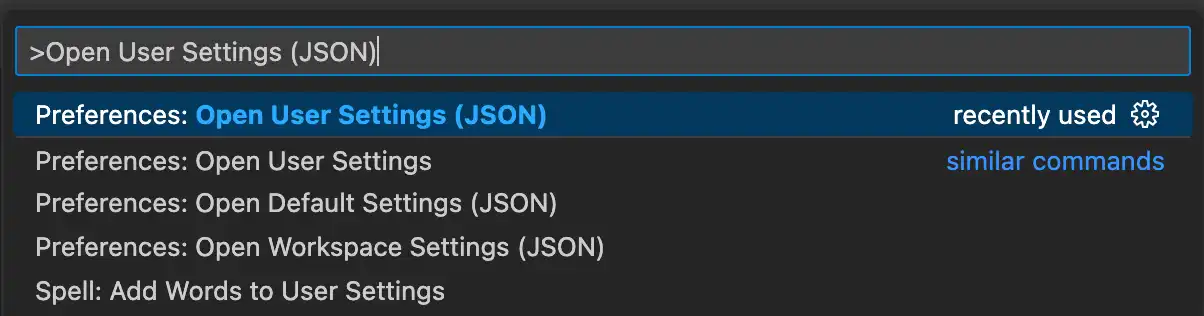
In VSCode, open the command palette:在VSCode中,打开命令选项板:
| Windows | CTRL + SHIFT + P |
| MacOS | CMD + SHIFT + P |
Enter Open User Settings (JSON) and select the option from the autocompleted list:输入“Open User Settings(JSON)”并从自动完成列表中选择选项:
Add the autocomplete snippet to the Settings.json file将自动补全代码段添加到Settings.json文件中
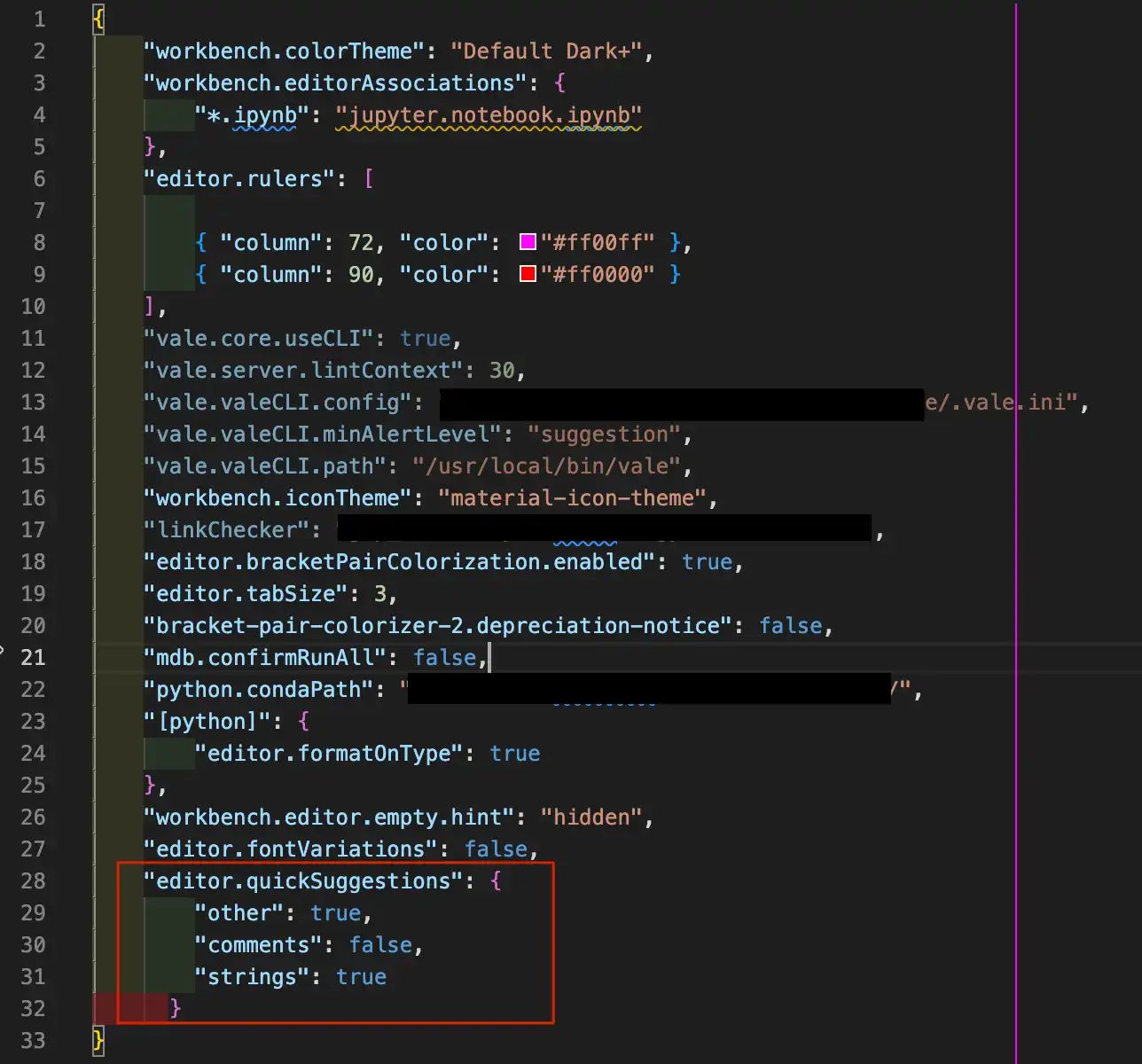
Copy the following code snippet:复制以下代码片段:
"editor.quickSuggestions": {
   "other": true,
   "comments": false,
   "strings": true
}
Paste the code into the 将代码粘贴到Settings.json file:Settings.json文件中:
Test the autocompletion feature测试自动补全功能
In a new playground file connected to your deployment, type the first character of a collection name between 在连接到部署的新游乐场文件中,键入db.getCollection("") and click the full name to populate the collection name:db.getCollection("")之间的集合名称的第一个字符,然后单击全名以填充集合名称:

You can also autocomplete database names by typing the first character of a database name in-between the 您还可以通过在use("") statement.use("")语句之间键入数据库名称的第一个字符来自动完成数据库名称。