You can export queries created in the query bar to one of the supported languages; Java, Node, C#, Python 3, Ruby, Go, Rust, and PHP. This feature allows you to reformat and use MongoDB Compass queries in your application.您可以将查询栏中创建的查询导出为支持的语言之一;Java、Node、C#、Python 3、Ruby、Go、Rust和PHP。此功能允许您在应用程序中重新格式化和使用MongoDB Compass查询。
Procedure过程
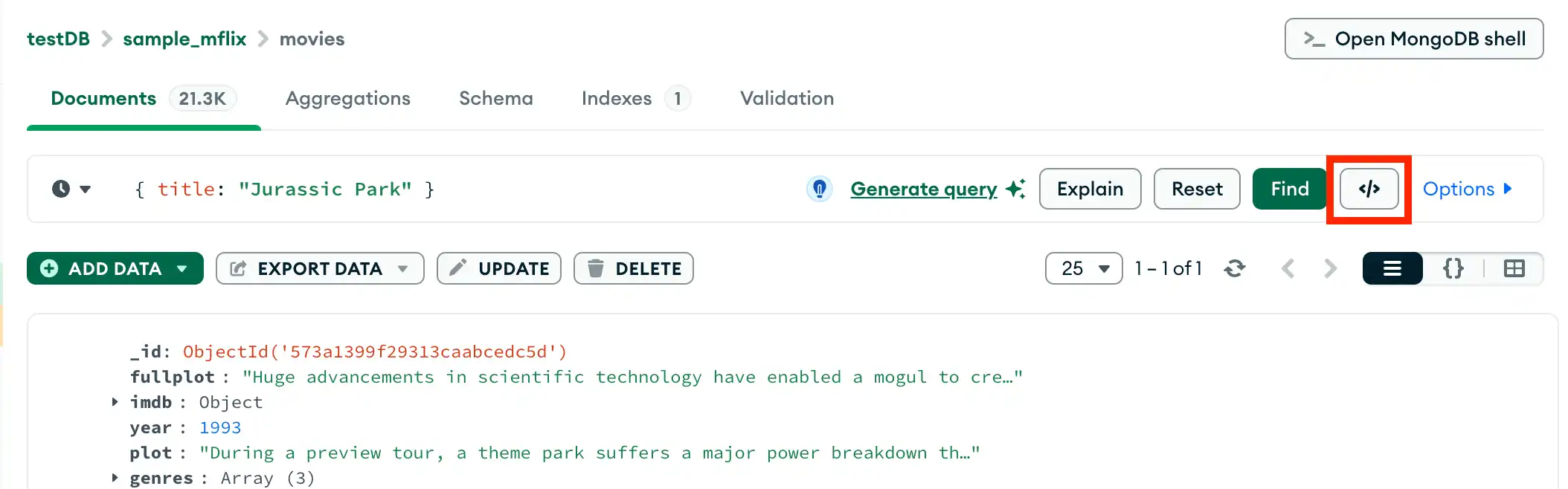
Click Export to Language单击“导出到语言”
In the query bar, click the 在查询栏中,单击</> icon to open the query export card.</>图标打开查询导出卡。
Select your export language选择导出语言
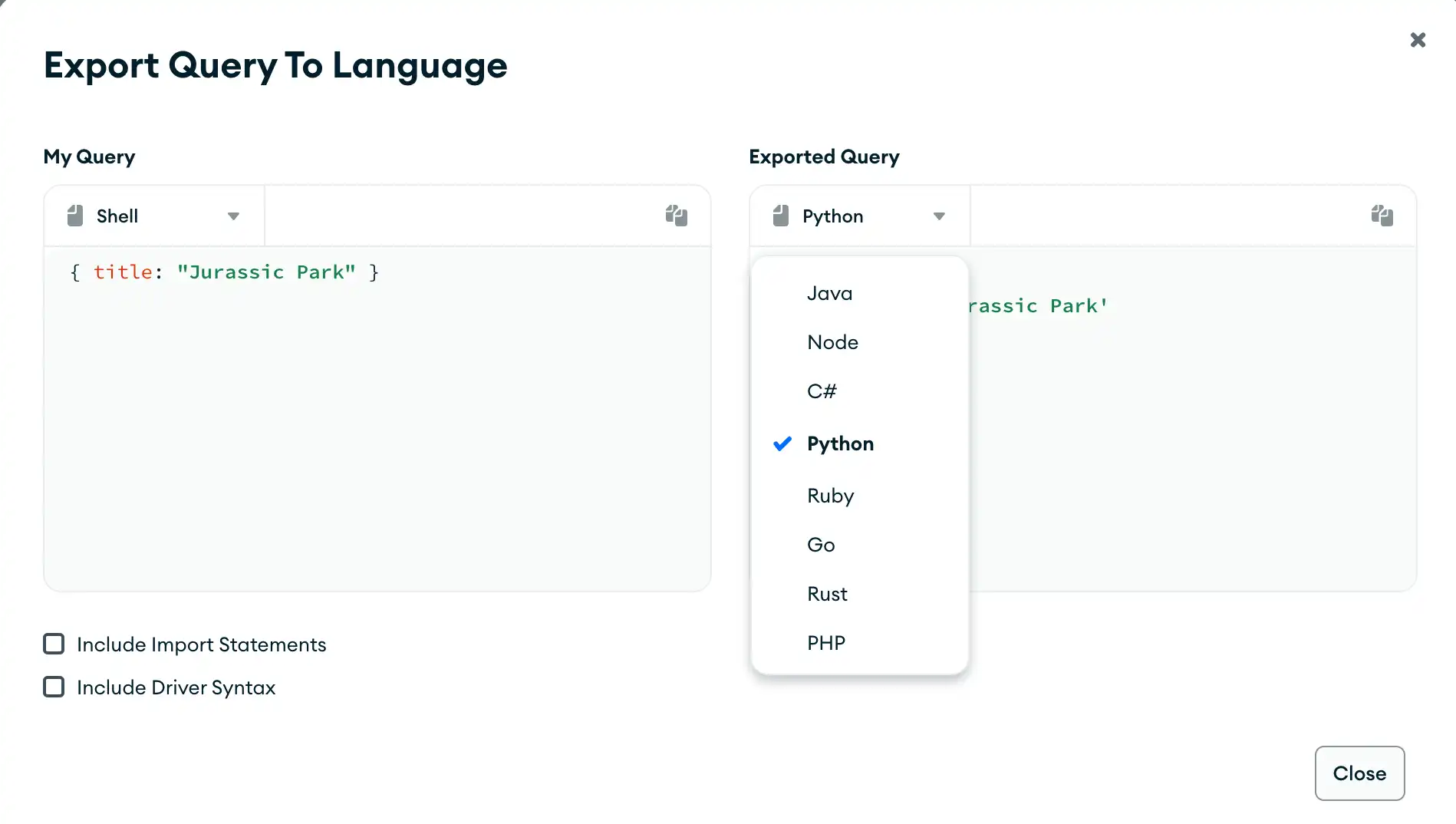
On the right side of the card, click the drop-down menu under Exported Query and select your desired programming language.在卡片右侧,单击“导出查询”下的下拉菜单,然后选择所需的编程语言。
The My Query pane on the left of the export card displays your pipeline in 导出卡左侧的“我的查询”窗格以mongosh syntax. The Exported Query pane to the right displays your pipeline in the selected programming language.mongosh语法显示管道。右侧的Exported Query窗格以所选编程语言显示管道。
(Optional) Include import statements(可选)包括导入语句
Click the Include Import Statements checkbox to include the required import statements for the selected programming language.单击“包含导入语句”复选框,以包含所选编程语言所需的导入语句。
(Optional) Include driver syntax(可选)包括驱动程序语法
Click the Include Driver Syntax checkbox to include application code for the selected programming language. 单击“包含驱动程序语法”复选框以包含所选编程语言的应用程序代码。If you include driver syntax, the copyable code reflects project, sort, maxtimems, collation, skip, and limit options.如果包含驱动程序语法,可复制代码将反映project、sort、maxtimems、collation、skip和limit选项。