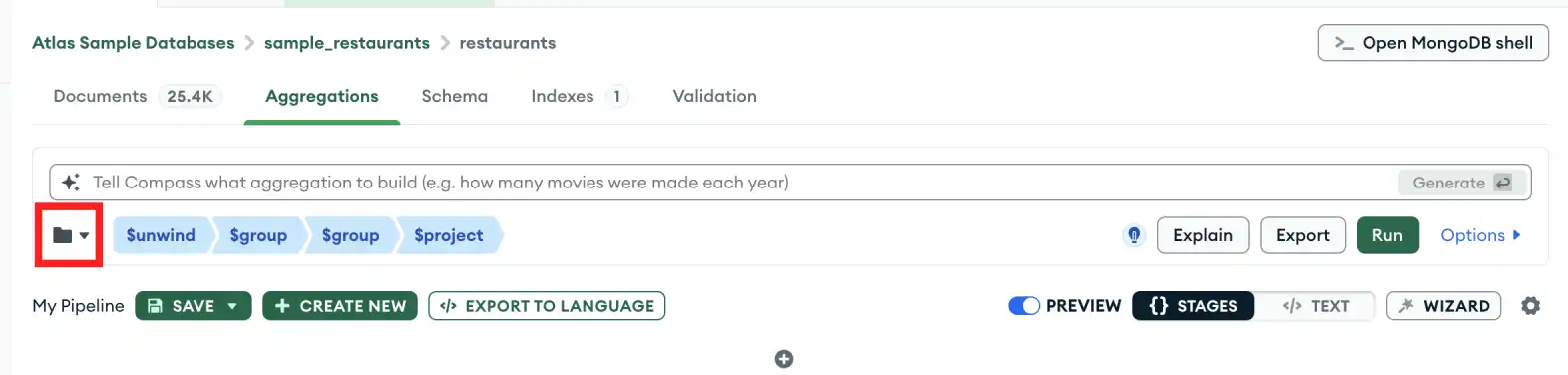
In the top-left corner of the pipeline builder, click the folder icon to open the drop-down menu of saved pipelines.在管道生成器的左上角,单击文件夹图标打开已保存管道的下拉菜单。
2
Select an aggregation pipeline选择聚合管道
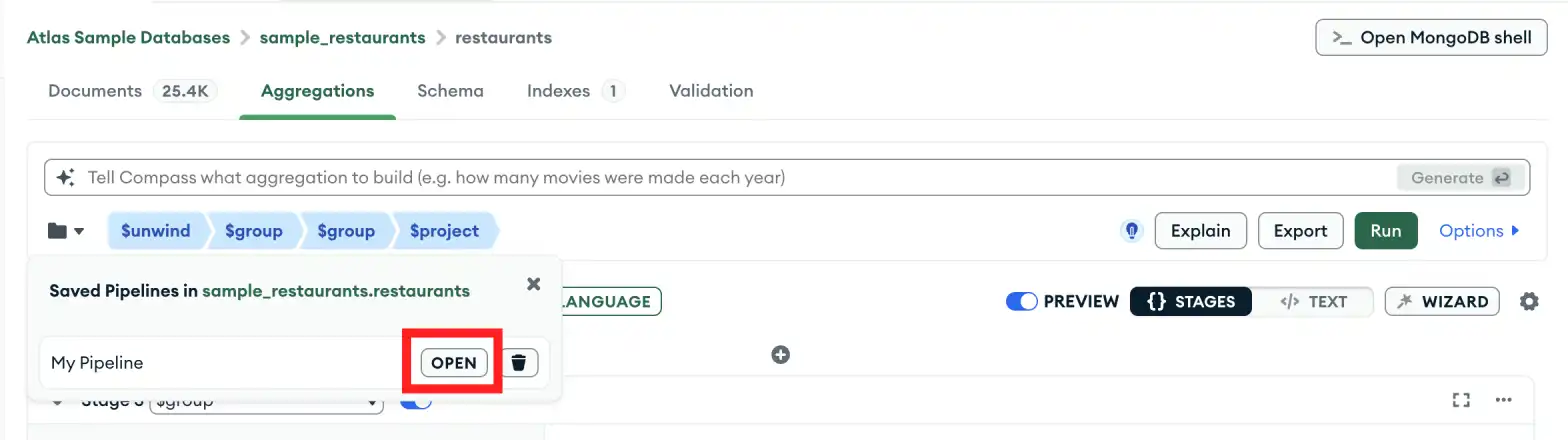
In the drop-down menu, hover over the pipeline you want to open and click Open.在下拉菜单中,将鼠标悬停在要打开的管道上,然后单击“打开”。
3
Confirm your selection确认选择
In the pop-up modal, click Open Pipeline.在弹出模式中,单击“打开管道”。
Note
Starting in MongoDB Compass 1.31, you can view your saved queries and aggregation pipelines on the My Queries tab after you connect to your cluster.从MongoDB Compass 1.31开始,您可以在连接到集群后在“我的查询”选项卡上查看已保存的查询和聚合管道。